
Disque cassé?

Bonjour,

ce disque USB n’est plus reconnu, ni par blkid, ni par sfdisk.
la commande hdparm indique:

$sudo hdparm -I /dev/sdb
ATA device, with non-removable media
Standards:
	Likely used: 1
Configuration:
	Logical		max	current
	cylinders	0	0
	heads		0	0
	sectors/track	0	0
	--
	Logical/Physical Sector size:           512 bytes
	device size with M = 1024*1024:           0 MBytes
	device size with M = 1000*1000:           0 MBytes 
	cache/buffer size  = unknown
Capabilities:
	IORDY not likely
	Cannot perform double-word IO
	R/W multiple sector transfer: not supported
	DMA: not supported
	PIO: pio0 

et la commande gpart:

#gpart /dev/sdb

Begin scan...

* Warning: read error (EIO) near sector(62), skipping...
End scan.

Checking partitions...
Ok.

Guessed primary partition table:
Primary partition(1)
   type: 000(0x00)(unused)
   size: 0mb #s(0) s(0-0)
   chs:  (0/0/0)-(0/0/0)d (0/0/0)-(0/0/0)r

Primary partition(2)
   type: 000(0x00)(unused)
   size: 0mb #s(0) s(0-0)
   chs:  (0/0/0)-(0/0/0)d (0/0/0)-(0/0/0)r

Primary partition(3)
   type: 000(0x00)(unused)
   size: 0mb #s(0) s(0-0)
   chs:  (0/0/0)-(0/0/0)d (0/0/0)-(0/0/0)r

Primary partition(4)
   type: 000(0x00)(unused)
   size: 0mb #s(0) s(0-0)
   chs:  (0/0/0)-(0/0/0)d (0/0/0)-(0/0/0)r

    /dev/sdb:

    ATA device, with non-removable media
    Standards:
    	Likely used: 1
    Configuration:
    	Logical		max	current
    	cylinders	0	0
    	heads		0	0
    	sectors/track	0	0
    	--
    	Logical/Physical Sector size:           512 bytes
    	device size with M = 1024*1024:           0 MBytes
    	device size with M = 1000*1000:           0 MBytes 
    	cache/buffer size  = unknown
    Capabilities:
    	IORDY not likely
    	Cannot perform double-word IO
    	R/W multiple sector transfer: not supported
    	DMA: not supported
    	PIO: pio0 

et gparted la désigne (/dev/hdb) mais mouline en vain.

Ce disque est-il récupérable? (j’en doute car fdisk et sfdisk échouent à le reconnaître). Mais mon ignorance abyssale m’incite à vous poser la question avant de le jeter.
Merci pour votre compréhension
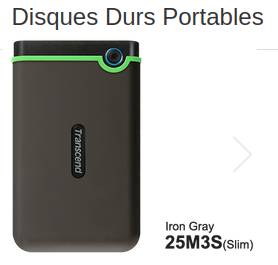
Suite! smartctl indique:

#smartctl -x /dev/sdb
smartctl 7.4 2023-08-01 r5530 [x86_64-linux-6.12.90+deb13-rt-amd64] (local build)
Copyright (C) 2002-23, Bruce Allen, Christian Franke, www.smartmontools.org

=== START OF INFORMATION SECTION ===
Model Family:     Western Digital Blue Mobile (SMR)
Device Model:     WDC WD20SPZX-00UA7T0
Serial Number:    WD-WX71E191H3JX
LU WWN Device Id: 5 0014ee 2665fe4a8
Firmware Version: 01.01A01
User Capacity:    2 000 398 934 016 bytes [2,00 TB]
Sector Sizes:     512 bytes logical, 4096 bytes physical
Rotation Rate:    5400 rpm
Form Factor:      2.5 inches
TRIM Command:     Available, deterministic
Device is:        In smartctl database 7.3/5528
ATA Version is:   ACS-3 T13/2161-D revision 5
SATA Version is:  SATA 3.1, 6.0 Gb/s (current: 6.0 Gb/s)
Local Time is:    Mon Jun  8 15:46:05 2026 CEST
SMART support is: Available - device has SMART capability.
SMART support is: Enabled
AAM feature is:   Unavailable
APM level is:     128 (minimum power consumption without standby)
Rd look-ahead is: Enabled
Write cache is:   Enabled
DSN feature is:   Unavailable
ATA Security is:  Disabled, NOT FROZEN [SEC1]
Wt Cache Reorder: Enabled

=== START OF READ SMART DATA SECTION ===
SMART overall-health self-assessment test result: PASSED

General SMART Values:
Offline data collection status:  (0x00)	Offline data collection activity
					was never started.
					Auto Offline Data Collection: Disabled.
Self-test execution status:      (   0)	The previous self-test routine completed
					without error or no self-test has ever 
					been run.
Total time to complete Offline 
data collection: 		(23040) seconds.
Offline data collection
capabilities: 			 (0x71) SMART execute Offline immediate.
					No Auto Offline data collection support.
					Suspend Offline collection upon new
					command.
					No Offline surface scan supported.
					Self-test supported.
					Conveyance Self-test supported.
					Selective Self-test supported.
SMART capabilities:            (0x0003)	Saves SMART data before entering
					power-saving mode.
					Supports SMART auto save timer.
Error logging capability:        (0x01)	Error logging supported.
					General Purpose Logging supported.
Short self-test routine 
recommended polling time: 	 (   2) minutes.
Extended self-test routine
recommended polling time: 	 ( 371) minutes.
Conveyance self-test routine
recommended polling time: 	 (   3) minutes.
SCT capabilities: 	       (0x3035)	SCT Status supported.
					SCT Feature Control supported.
					SCT Data Table supported.

SMART Attributes Data Structure revision number: 16
Vendor Specific SMART Attributes with Thresholds:
ID# ATTRIBUTE_NAME          FLAGS    VALUE WORST THRESH FAIL RAW_VALUE
  1 Raw_Read_Error_Rate     POSR-K   200   200   051    -    0
  3 Spin_Up_Time            POS--K   245   215   021    -    741
  4 Start_Stop_Count        -O--CK   100   100   000    -    273
  5 Reallocated_Sector_Ct   PO--CK   200   200   140    -    0
  7 Seek_Error_Rate         -OSR-K   200   200   000    -    0
  9 Power_On_Hours          -O--CK   097   097   000    -    2755
 10 Spin_Retry_Count        -O--CK   100   100   000    -    0
 11 Calibration_Retry_Count -O--CK   100   100   000    -    0
 12 Power_Cycle_Count       -O--CK   100   100   000    -    109
192 Power-Off_Retract_Count -O--CK   200   200   000    -    71
193 Load_Cycle_Count        -O--CK   200   200   000    -    1054
194 Temperature_Celsius     -O---K   110   094   000    -    37
196 Reallocated_Event_Count -O--CK   200   200   000    -    0
197 Current_Pending_Sector  -O--CK   200   200   000    -    0
198 Offline_Uncorrectable   ----CK   100   253   000    -    0
199 UDMA_CRC_Error_Count    -O--CK   200   200   000    -    0
200 Multi_Zone_Error_Rate   ---R--   100   253   000    -    0
                            ||||||_ K auto-keep
                            |||||__ C event count
                            ||||___ R error rate
                            |||____ S speed/performance
                            ||_____ O updated online
                            |______ P prefailure warning

General Purpose Log Directory Version 1
SMART           Log Directory Version 1 [multi-sector log support]
Address    Access  R/W   Size  Description
0x00       GPL,SL  R/O      1  Log Directory
0x01           SL  R/O      1  Summary SMART error log
0x02           SL  R/O      5  Comprehensive SMART error log
0x03       GPL     R/O      6  Ext. Comprehensive SMART error log
0x06           SL  R/O      1  SMART self-test log
0x07       GPL     R/O      1  Extended self-test log
0x09           SL  R/W      1  Selective self-test log
0x10       GPL     R/O      1  NCQ Command Error log
0x11       GPL     R/O      1  SATA Phy Event Counters log
0x24       GPL     R/O    288  Current Device Internal Status Data log
0x30       GPL,SL  R/O      9  IDENTIFY DEVICE data log
0x80-0x9f  GPL,SL  R/W     16  Host vendor specific log
0xa0-0xa7  GPL,SL  VS      16  Device vendor specific log
0xa8-0xb6  GPL,SL  VS       1  Device vendor specific log
0xb7       GPL,SL  VS      76  Device vendor specific log
0xb9       GPL,SL  VS       4  Device vendor specific log
0xbd       GPL,SL  VS       1  Device vendor specific log
0xc0       GPL,SL  VS       1  Device vendor specific log
0xc1       GPL     VS      93  Device vendor specific log
0xe0       GPL,SL  R/W      1  SCT Command/Status
0xe1       GPL,SL  R/W      1  SCT Data Transfer

SMART Extended Comprehensive Error Log Version: 1 (6 sectors)
No Errors Logged

SMART Extended Self-test Log Version: 1 (1 sectors)
No self-tests have been logged.  [To run self-tests, use: smartctl -t]

SMART Selective self-test log data structure revision number 1
 SPAN  MIN_LBA  MAX_LBA  CURRENT_TEST_STATUS
    1        0        0  Not_testing
    2        0        0  Not_testing
    3        0        0  Not_testing
    4        0        0  Not_testing
    5        0        0  Not_testing
Selective self-test flags (0x0):
  After scanning selected spans, do NOT read-scan remainder of disk.
If Selective self-test is pending on power-up, resume after 0 minute delay.

SCT Status Version:                  3
SCT Version (vendor specific):       258 (0x0102)
Device State:                        Active (0)
Current Temperature:                    37 Celsius
Power Cycle Min/Max Temperature:     37/37 Celsius
Lifetime    Min/Max Temperature:     17/53 Celsius
Under/Over Temperature Limit Count:   0/0
Vendor specific:
01 00 00 00 00 00 00 00 00 00 00 00 00 00 00 00
00 00 00 00 00 00 00 00 00 00 00 00 00 00 00 00

SCT Temperature History Version:     2
Temperature Sampling Period:         1 minute
Temperature Logging Interval:        1 minute
Min/Max recommended Temperature:      0/60 Celsius
Min/Max Temperature Limit:           -41/85 Celsius
Temperature History Size (Index):    128 (60)

Index    Estimated Time   Temperature Celsius
  61    2026-06-08 13:40    51  ********************************
 ...    ..( 65 skipped).    ..  ********************************
 127    2026-06-08 14:46    51  ********************************
   0    2026-06-08 14:47     ?  -
   1    2026-06-08 14:48    52  *********************************
   2    2026-06-08 14:49     ?  -
   3    2026-06-08 14:50    51  ********************************
   4    2026-06-08 14:51     ?  -
   5    2026-06-08 14:52    50  *******************************
   6    2026-06-08 14:53    49  ******************************
   7    2026-06-08 14:54    50  *******************************
   8    2026-06-08 14:55     ?  -
   9    2026-06-08 14:56    50  *******************************
  10    2026-06-08 14:57     ?  -
  11    2026-06-08 14:58    49  ******************************
  12    2026-06-08 14:59     ?  -
  13    2026-06-08 15:00    48  *****************************
 ...    ..(  9 skipped).    ..  *****************************
  23    2026-06-08 15:10    48  *****************************
  24    2026-06-08 15:11     ?  -
  25    2026-06-08 15:12    48  *****************************
  26    2026-06-08 15:13     ?  -
  27    2026-06-08 15:14    48  *****************************
  28    2026-06-08 15:15     ?  -
  29    2026-06-08 15:16    48  *****************************
  30    2026-06-08 15:17     ?  -
  31    2026-06-08 15:18    48  *****************************
  32    2026-06-08 15:19     ?  -
  33    2026-06-08 15:20    48  *****************************
  34    2026-06-08 15:21     ?  -
  35    2026-06-08 15:22    48  *****************************
  36    2026-06-08 15:23     ?  -
  37    2026-06-08 15:24    48  *****************************
  38    2026-06-08 15:25     ?  -
  39    2026-06-08 15:26    46  ***************************
  40    2026-06-08 15:27     ?  -
  41    2026-06-08 15:28    45  **************************
  42    2026-06-08 15:29     ?  -
  43    2026-06-08 15:30    44  *************************
  44    2026-06-08 15:31     ?  -
  45    2026-06-08 15:32    27  ********
  46    2026-06-08 15:33     ?  -
  47    2026-06-08 15:34    40  *********************
  48    2026-06-08 15:35     ?  -
  49    2026-06-08 15:36    40  *********************
  50    2026-06-08 15:37     ?  -
  51    2026-06-08 15:38    38  *******************
  52    2026-06-08 15:39     ?  -
  53    2026-06-08 15:40    36  *****************
  54    2026-06-08 15:41     ?  -
  55    2026-06-08 15:42    32  *************
  56    2026-06-08 15:43    32  *************
  57    2026-06-08 15:44     ?  -
  58    2026-06-08 15:45    35  ****************
  59    2026-06-08 15:46     ?  -
  60    2026-06-08 15:47    37  ******************

SCT Error Recovery Control command not supported

Device Statistics (GP/SMART Log 0x04) not supported

Pending Defects log (GP Log 0x0c) not supported

SATA Phy Event Counters (GP Log 0x11)
ID      Size     Value  Description
0x0001  2            0  Command failed due to ICRC error
0x0002  2            0  R_ERR response for data FIS
0x0003  2            0  R_ERR response for device-to-host data FIS
0x0004  2            0  R_ERR response for host-to-device data FIS
0x0005  2            0  R_ERR response for non-data FIS
0x0006  2            0  R_ERR response for device-to-host non-data FIS
0x0007  2            0  R_ERR response for host-to-device non-data FIS
0x0008  2            0  Device-to-host non-data FIS retries
0x0009  2            0  Transition from drive PhyRdy to drive PhyNRdy
0x000a  2            1  Device-to-host register FISes sent due to a COMRESET
0x000b  2            0  CRC errors within host-to-device FIS
0x000d  2            0  Non-CRC errors within host-to-device FIS
0x000f  2            0  R_ERR response for host-to-device data FIS, CRC
0x0012  2            0  R_ERR response for host-to-device non-data FIS, CRC
0x8000  4            2  Vendor specific

Bizarre , le disque répond aux commandes de smartctl et n’indique pas de souci. Premier candidat au problème, le cable de connexion USB, essaye un autre cable voir un autre boitier USB, mais ces p…ns de disque WD sont je crois complètement soudés au controleur SATA/USB. Essaye qd même un cable différent.
Sinon regarde ce que disait dmesg et autre, en clair

sudo lsblk -o NAME,SIZE,MODEL
sudo fdisk -l /dev/sdb
sudo dmesg | tail -100

mais gpart donne déjà une idée :-/

oui ça sent le sapin.